A game about thinking ahead
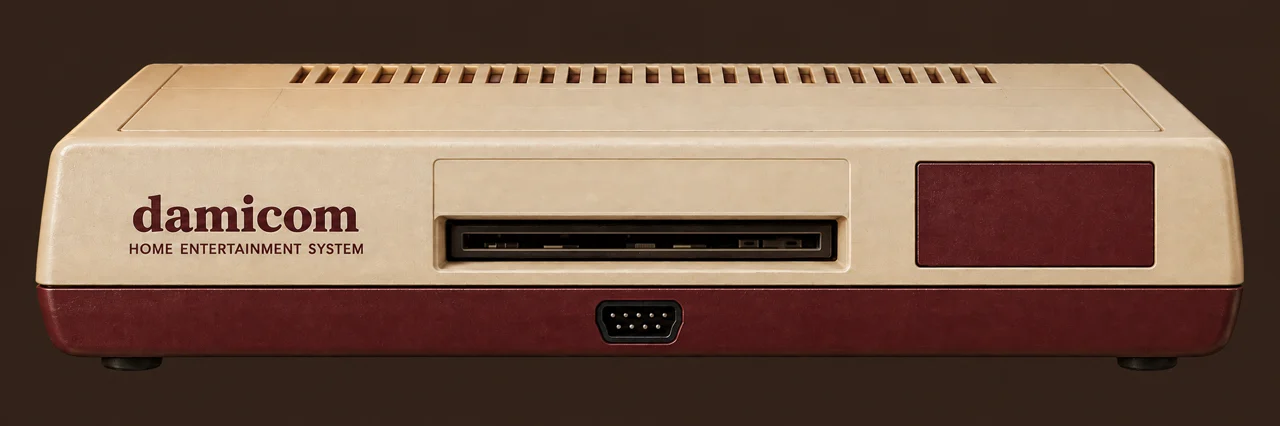
Choose a cartridge, then power on.
Save inside the game, then load that progress from its menu when you return. In Damijin's Quest, Start opens your bag and saves the journal; choose Continue to load it.
Export a file to keep a backup, especially in private browsing. Importing a game save restarts the cartridge.
To return to an exact moment instead, use Snapshot and Restore on the console.
Choose a cartridge, power on, and press Start. Click the game screen if the keyboard isn't responding.
Each cartridge has its own controls, listed below the drawer. On touchscreens, slide across the D-pad for diagonals and hold several buttons at once. “Touch pad” shows or hides the larger controller.
The upper TV knob changes the picture; the lower sets the volume. Sound starts off. The Sound button mutes or restores your last volume.
Letter-only controls: W up, A left, S down, D right; X or J for A; Z or K for B; R for Start; F for Select. Short key taps and on-screen clicks are held briefly so the cartridge can read them.
If WebGL is unavailable, Damicom uses Canvas 2D automatically. Choose Compatibility to force it. Advance buttons pause and move forward by a fixed number of frames; Resume returns to live play. Each engine keeps its own snapshots.
Snapshot saves the current moment; Restore returns to it. There is one slot per cartridge file. Damicom also saves snapshots during play and when you pause.
Game saves appears for cartridges with built-in saving. Save inside the game first, then load from its menu later. You can export and import these saves separately from snapshots.
Export a backup to keep it outside the browser. Private browsing or clearing site storage can remove local saves. Snapshots need the same cartridge file and emulator version.
Use “Bring your own” or drop a .nes file onto the console to play another cartridge. It stays available until you reload the page; nothing is uploaded.
Created by damijin, with AI-assisted development and artwork using GPT-6 Astra, OpenAI Codex, and Microsoft Copilot.
Don G, for the methodologies that made High Noon Pool possible.
Emulation by EmulatorJS 4.2.3 and FCEUmm, with JSNES 2.1.0 for compatibility playback.
Original project material is shared under BSD-3-Clause. If you build on it, please keep a visible credit to damijin and the work you use.
Full credits · Third-party licenses
Damicom on itch.io